


We’re excited to introduce AdBuilder™, a faster and more effective way to market your listings — within Matrix starting February 10.
AdBuilder connects directly to your MLS listing data so you can preview, customize, and launch a professional listing ad in under 60 seconds. With just a few taps, your listing appears across Facebook, Instagram, Google, and Bing, reaching thousands of motivated local buyers.
Why Agents Choose AdBuilder
AdBuilder simplifies digital advertising so you can stay focused on your clients. With it, you can:
- Launch a listing ad in less than one minute
- Reach local buyers on the platforms they use every day
- Demonstrate active marketing to your sellers
- Use smarter targeting to help reduce days on market
How to Use AdBuilder
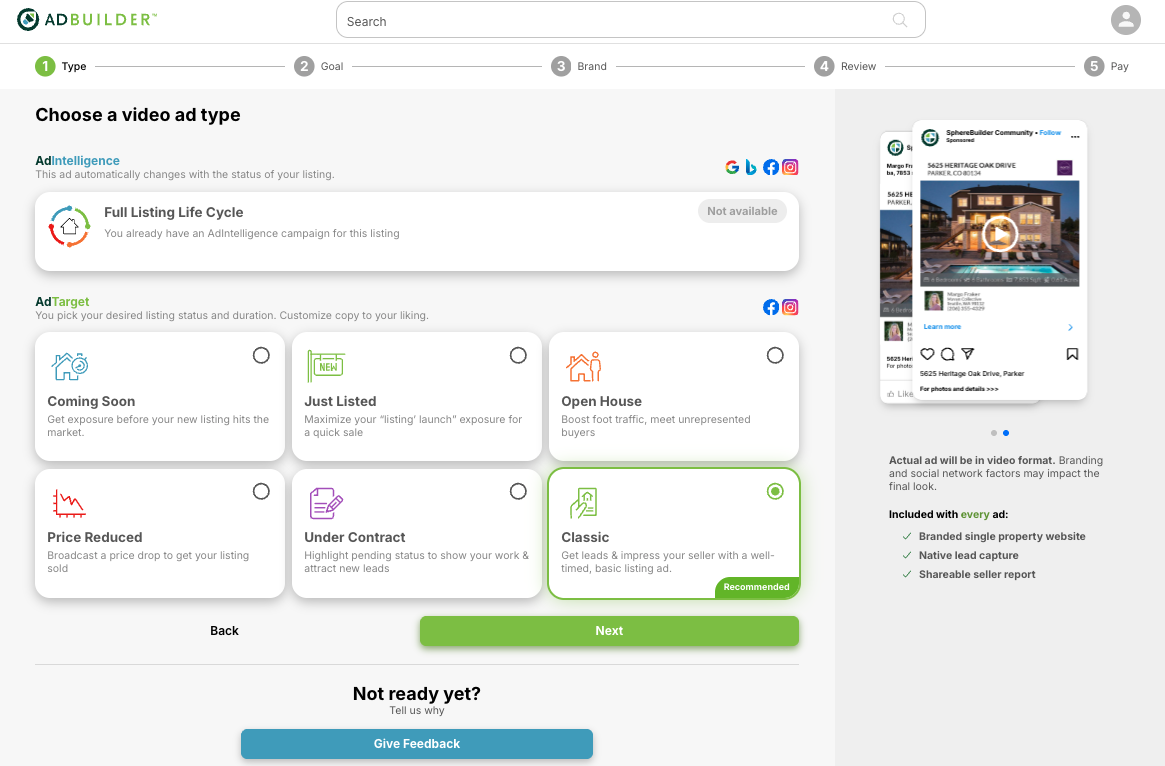
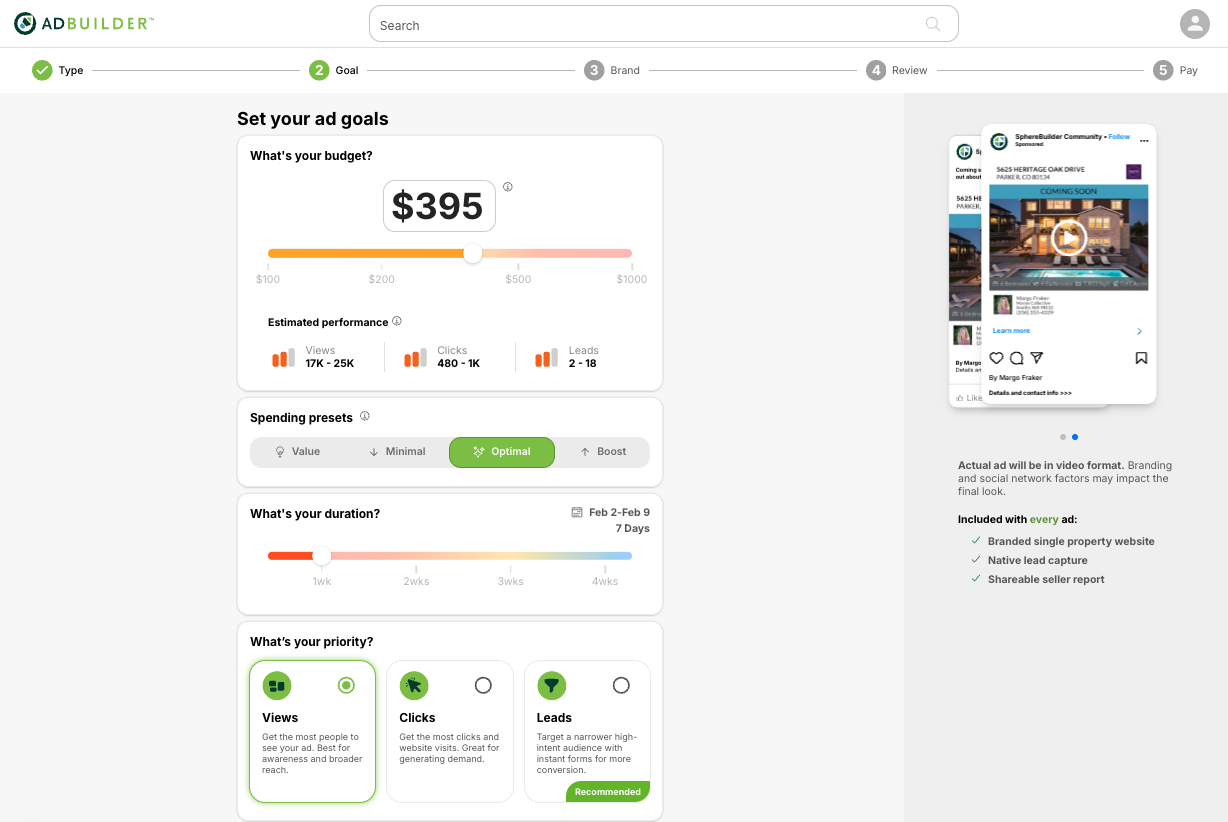
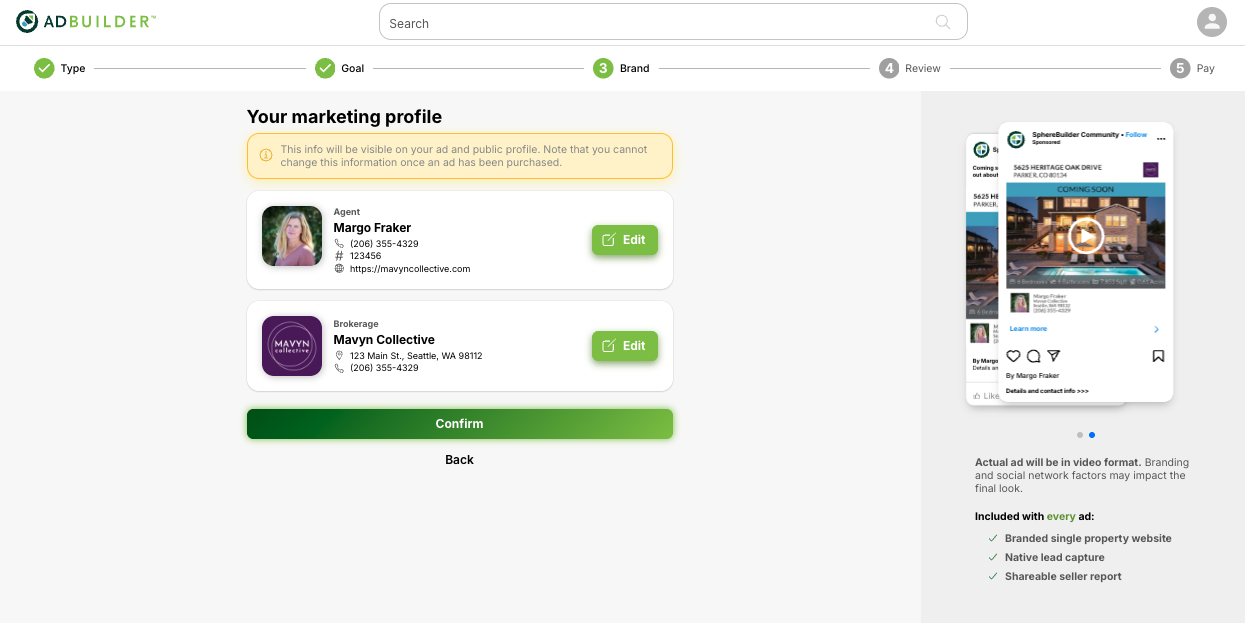
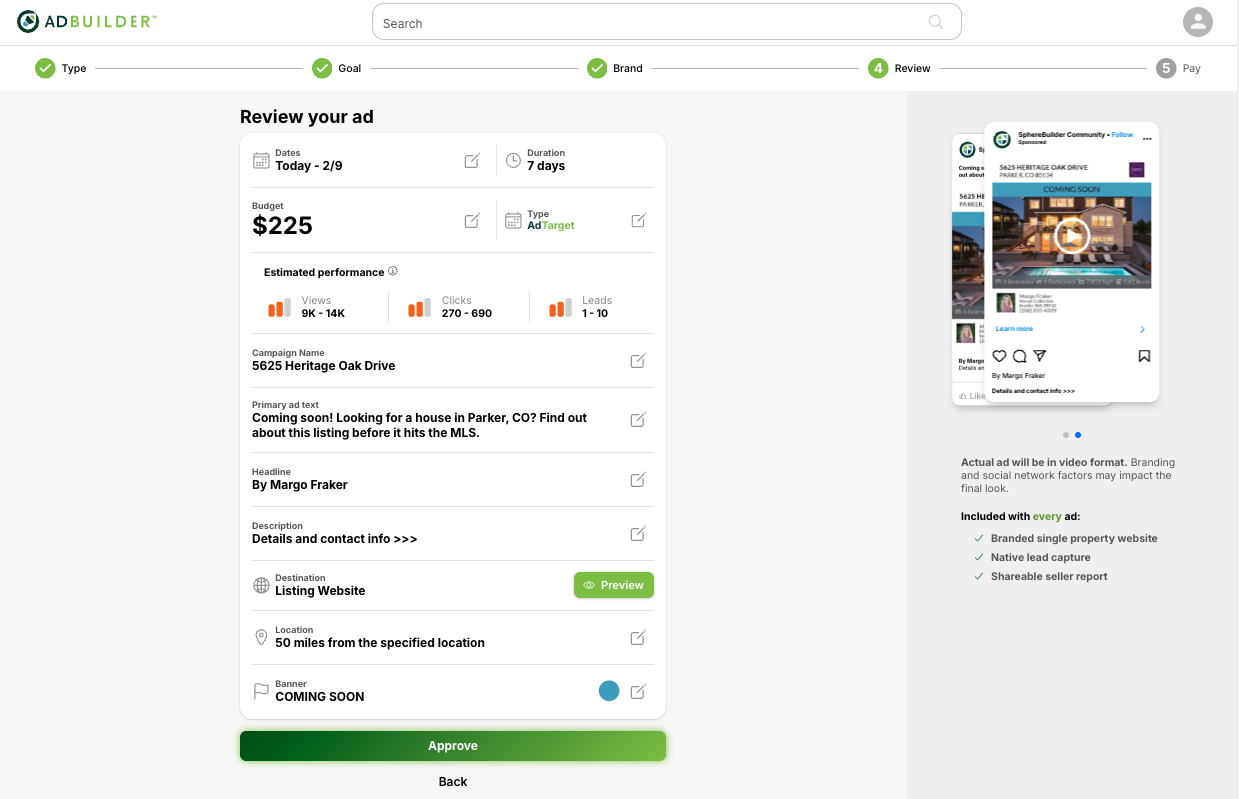
Using AdBuilder is easy! Check out this video for MLS-Touch integration, or see the step-by-step screen grabs below for desktop.
Step 1: Select an Ad
Step 2: Select Parameters
Step 3: Confirm Branding
Step 4: Confirm Details
Easy Access Through MARIS
You will be able to open AdBuilder directly from the Matrix Listing Manager, or the MARIS Product Page, complete with refreshed copy, new screenshots, and a streamlined single sign‑on tile for quick access. It is also accessible via MLS-Touch!
Check Out the On-Demand Webinar!
Learn how to get the most out of AdBuilder during our On-Demand Webinar, hosted by Margo Fraker with AdBuilder. Additional live/simulative sessions will follow throughout the spring.
We’re excited to bring you tools that elevate your business and support your success throughout 2026!